WorkStamp Duo

Jobsite records, ready before you leave.

Capture a photo, stamp the time and place, organize it by project, and send a client-ready record — all on your iPhone.

Available now on the App Store

WorkStamp Duo capture screen in English

From camera to client in minutes.

Projects are optional at capture. Open the app and start with the work in front of you.

  1. 01

    Capture

    Take a clear jobsite photo in Single mode, or choose Dual Context on a supported iPhone.

  2. 02

    Stamp

    Keep the time visible and add available address, GPS, project notes, or custom fields.

  3. 03

    Deliver

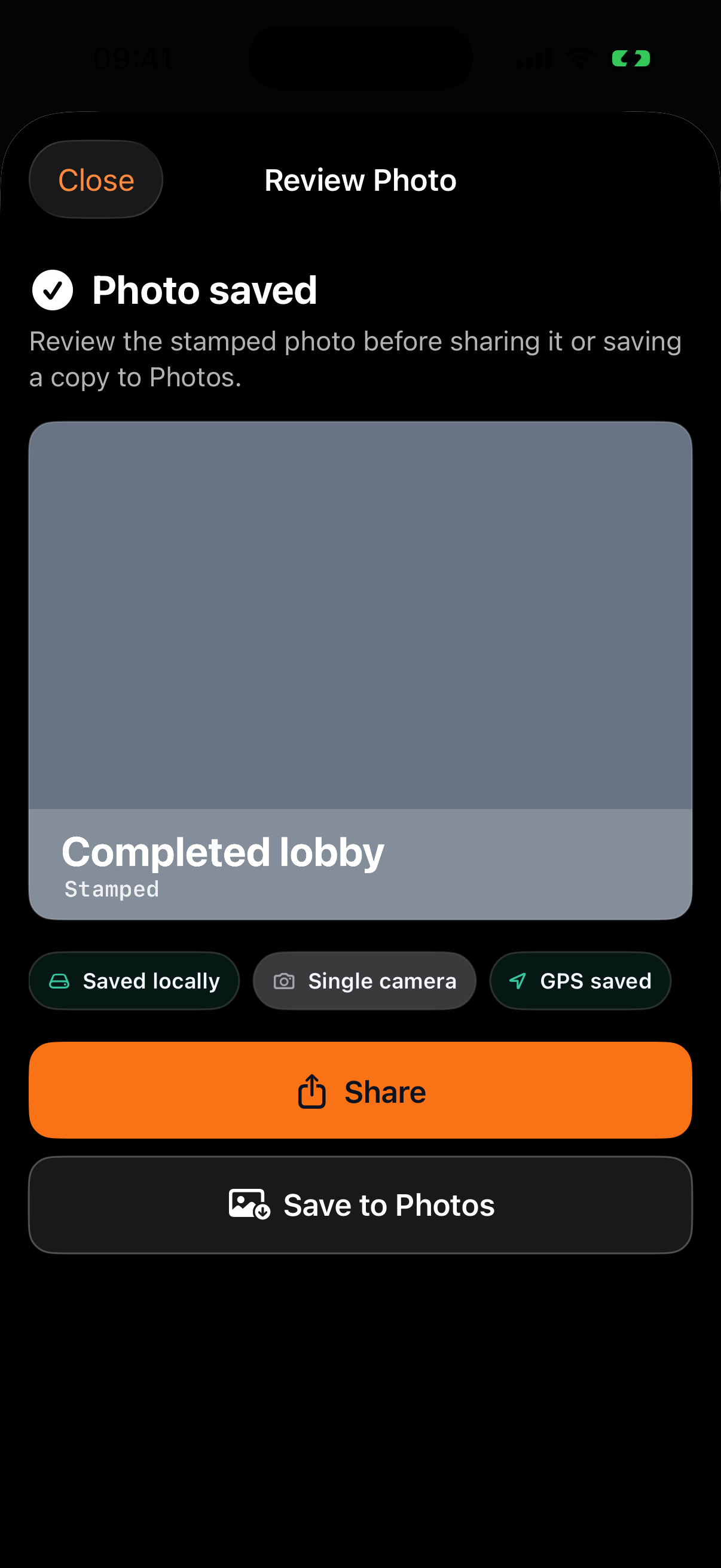
    Review the result, save it locally, share the stamped photo, or prepare a PDF report.

Your records stay yours.

No account. No default cloud upload. Photos and reports stay on your device until you choose to share them.

See how data is handled
Account
Not required
Cloud sync
None
Default upload
Never

Context that travels with the photo.

Time, place, project details, and field notes stay connected from capture to delivery.

Capture

Single when you need speed. Dual Context when it adds value.

On supported iPhones, explicitly add a live front-camera inset to the rear-camera record. Unsupported devices keep the complete Single-camera workflow.

The front camera starts only after you choose Dual Context.

WorkStamp Duo camera and watermark screen

Organize

Projects without setup getting in the way.

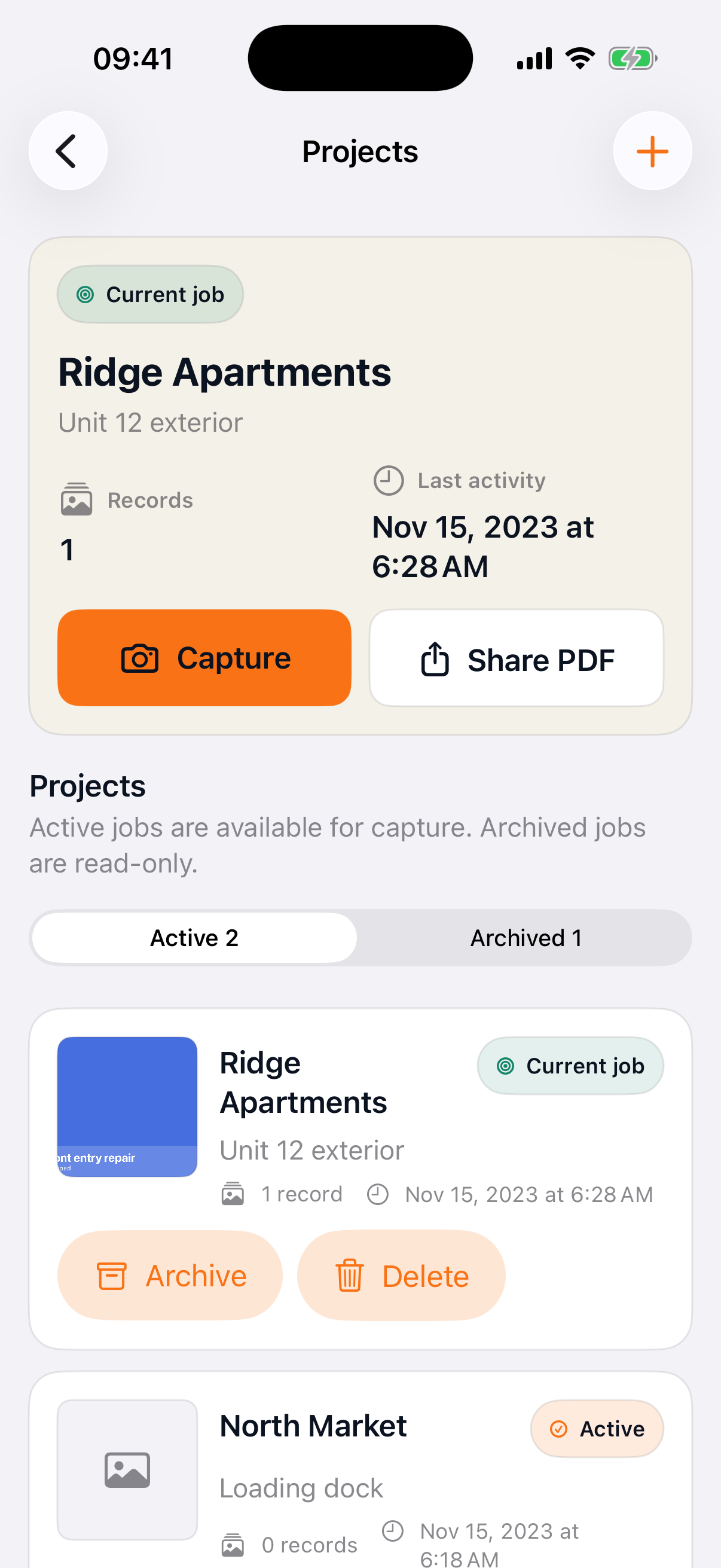
Capture first. Keep active and archived jobs easy to find later, with every record stored locally and a clear current job.

WorkStamp Duo Projects screen in English

Deliver

A clear handoff, not another camera roll search.

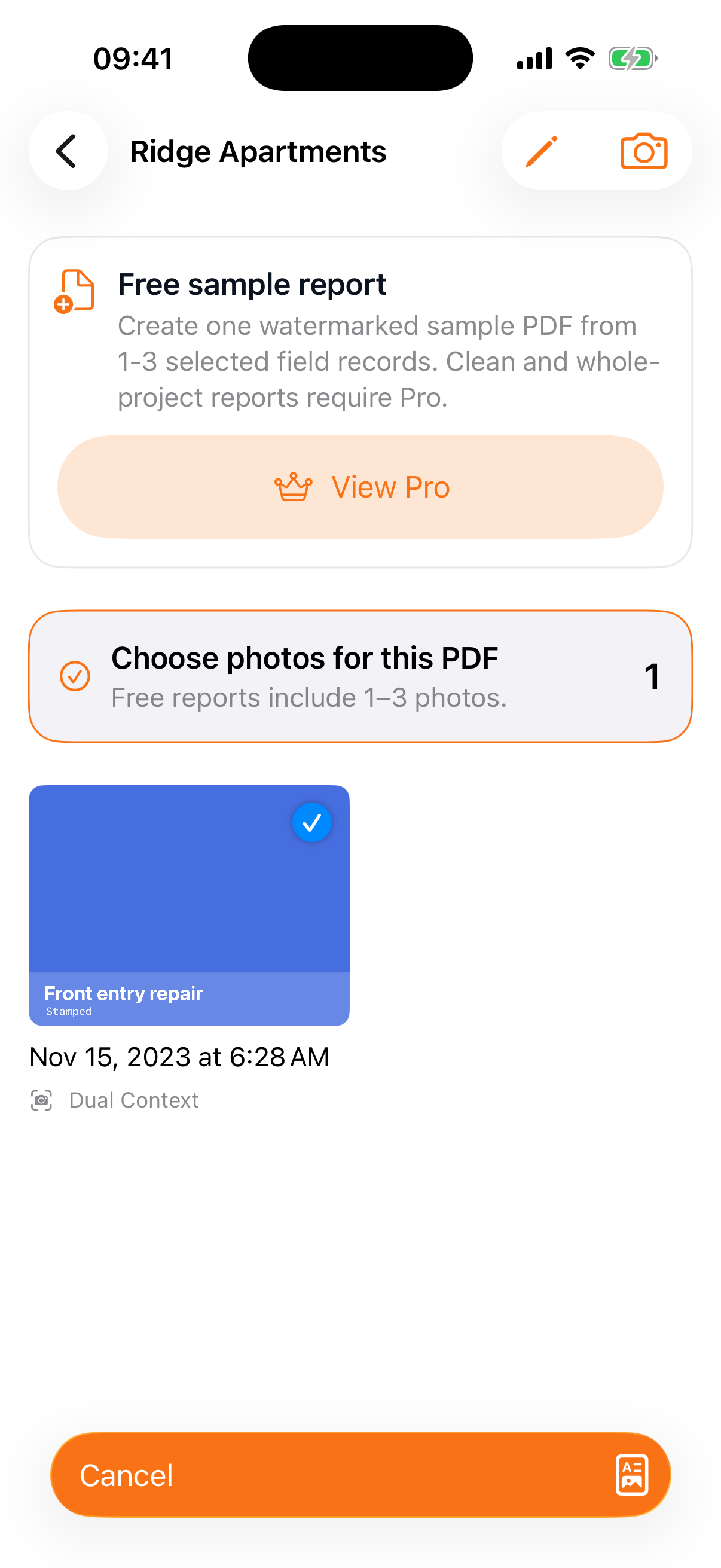
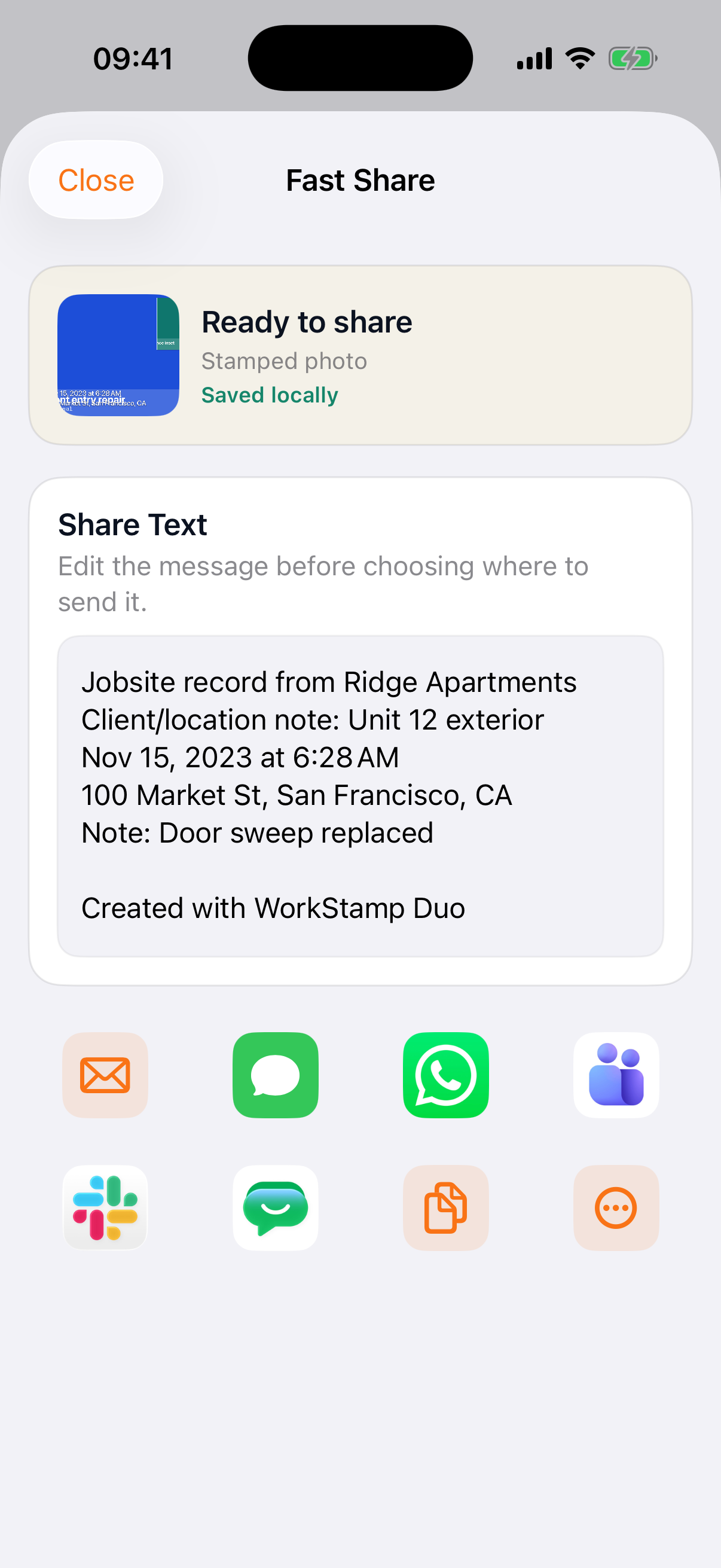
Edit the message, choose Email, Copy, or More, use common app shortcuts, or prepare a selected-photo or whole-project PDF.
WorkStamp Duo PDF report selection screen
WorkStamp Duo Fast Share screen

Make it yours

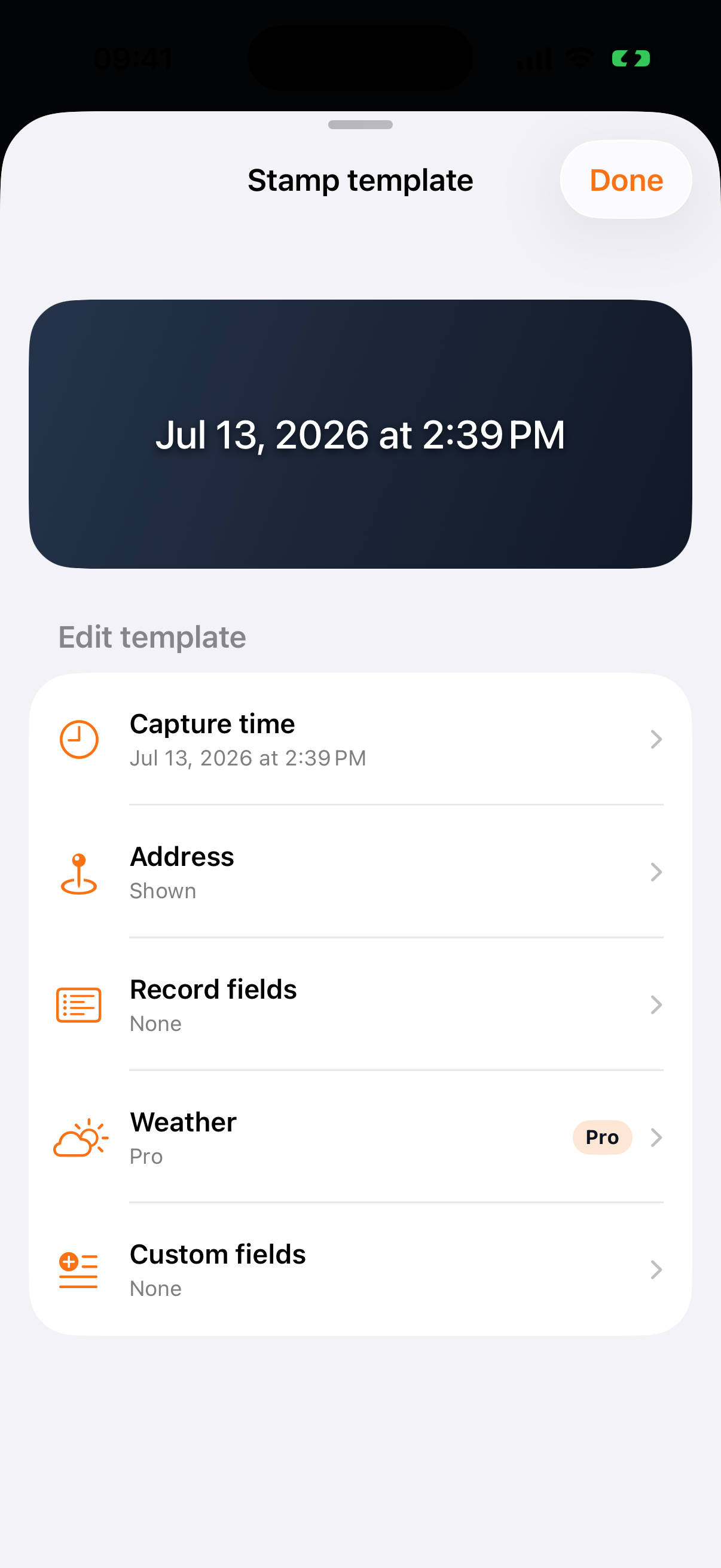
Four stamp styles, direct placement, and the fields the job needs.

Time always remains. Choose which available location, project, custom, and branding fields appear, then drag the stamp into place on the live camera.

WorkStamp Duo watermark template settings

Start simple. Upgrade once when the work grows.

Lifetime Pro is a one-time, non-consumable in-app purchase handled by Apple. The App Store shows the localized price before payment.

What is included
Free
Lifetime Pro
Records
10 per day
Unlimited
Dual Context
Up to 5 per day
Unlimited on supported iPhones
Active projects
1
Unlimited
PDF reports
One 1–3 photo sample
Selected photos and whole projects
Branding
Standard stamp
Custom text or logo

Only successfully saved records count toward Free limits. Failed, cancelled, denied, unsupported, or save-failed attempts do not.

View on the App Store

Built for work that happens on site.

01Independent contractors
02Property teams
03Inspectors

Good questions before the first job.

Do I need an account?

No. WorkStamp Duo is local-first and does not require login.

Does WorkStamp Duo upload my photos?

Not by default, and never to a WorkStamp-owned photo backend. Content leaves the app only when you choose a system or third-party destination.

Can I capture without location or a network?

Yes. Time and local capture continue to work. Unavailable address or GPS fields are simply omitted.

Is Dual Context available on every iPhone?

No. It requires iPhone hardware that supports Apple MultiCam capture. Unsupported devices use the complete Single-camera path.

Is Lifetime Pro a subscription?

No. It is a one-time, non-consumable in-app purchase handled by Apple and can be restored with the purchasing Apple ID.

Does it provide legal or tamper-proof evidence?

No. WorkStamp Duo creates clear field records but does not provide identity verification, legal evidence, anti-fraud, tamper-proof, or chain-of-custody guarantees.

The field record starts on your iPhone.

No account. No ads. No default upload. Just a faster path from the work in front of you to a record you can deliver.

Download on the App Store